
Download PDF2EXE – PDF to EXE, convert PDF to executable, secure PDF sharing, PDF to EXE tool, PDF converter
Overview
PDF2EXE is a specialized productivity tool designed to simplify the sharing of PDF documents across diverse environments. Its core purpose is to eliminate compatibility barriers by converting standard PDF files into standalone executable (.exe) files. This transformation ensures that recipients can view the content without needing a PDF reader installed, making it particularly valuable in corporate, educational, and technical settings where software consistency cannot be guaranteed. The app targets users who frequently distribute documents to clients, colleagues, or students who may not have access to Adobe Acrobat or other PDF viewing tools.
By converting PDFs into executables, PDF2EXE enhances accessibility and reduces dependency on third-party software. Real-world use cases include sharing sensitive reports, training materials, or presentation decks where the sender wants to control how the content is viewed. The tool is especially useful in environments with strict software policies or outdated systems. Although the developer did not provide additional technical details about the software’s background, its focused functionality suggests a targeted solution for document distribution challenges in professional workflows. As part of the productivity category, PDF2EXE fills a niche need in the digital document ecosystem, offering a practical alternative to cloud-based sharing or file compression.
Key Features & Functionality
- User-Friendly Interface: The software features a clean, intuitive layout that simplifies navigation for users of all technical levels. Even individuals with minimal experience in document conversion can complete tasks efficiently, reducing the learning curve and increasing adoption across teams.
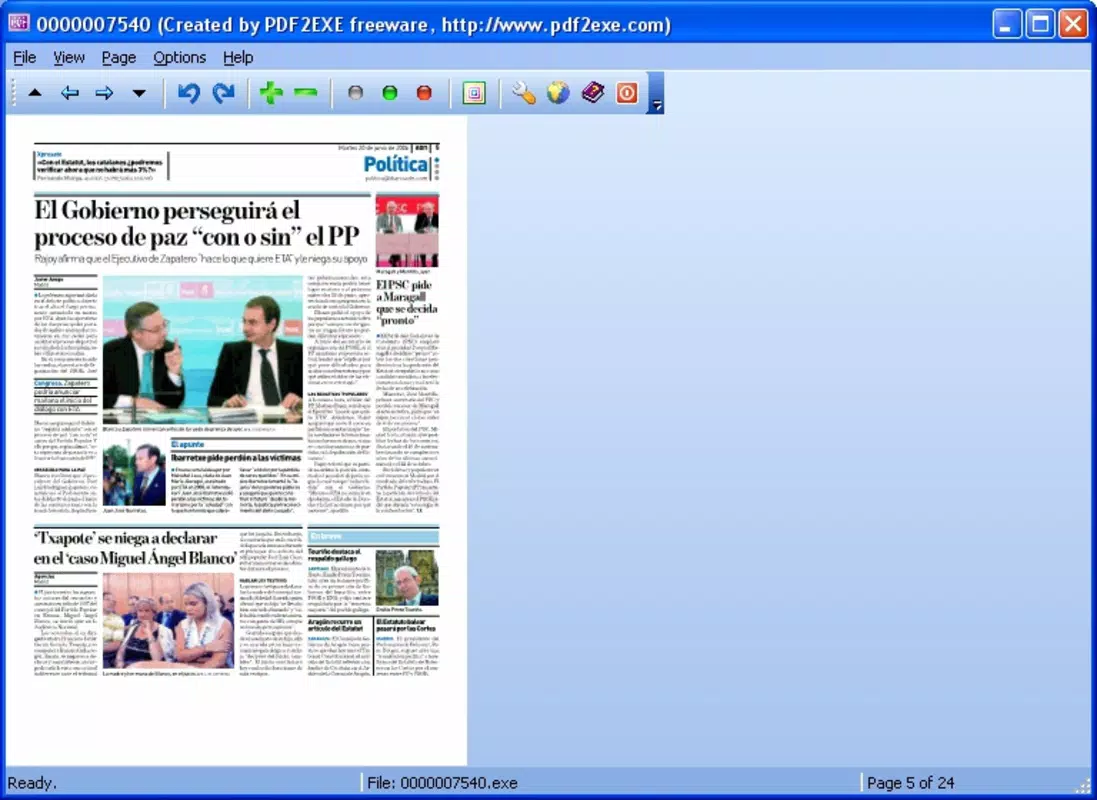
- Executable File Creation: The primary function enables the conversion of PDF files into .exe format, ensuring that the resulting file can be opened directly on any compatible Windows system without requiring additional software.
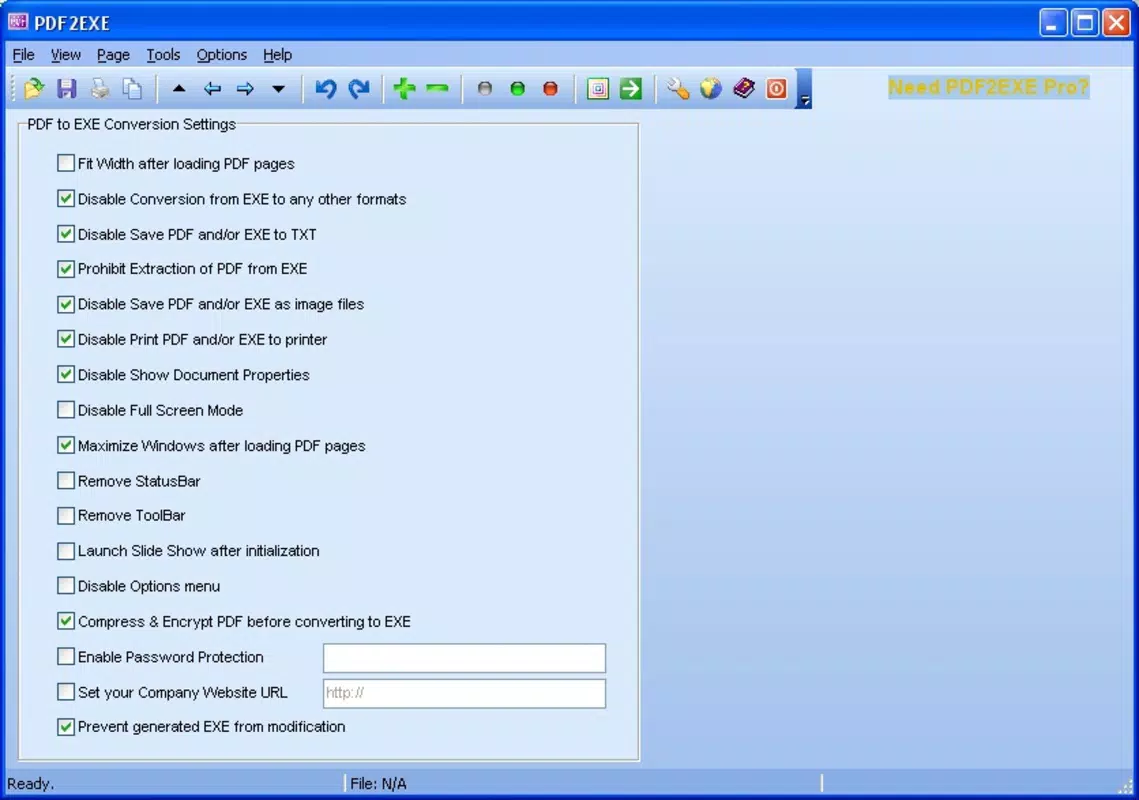
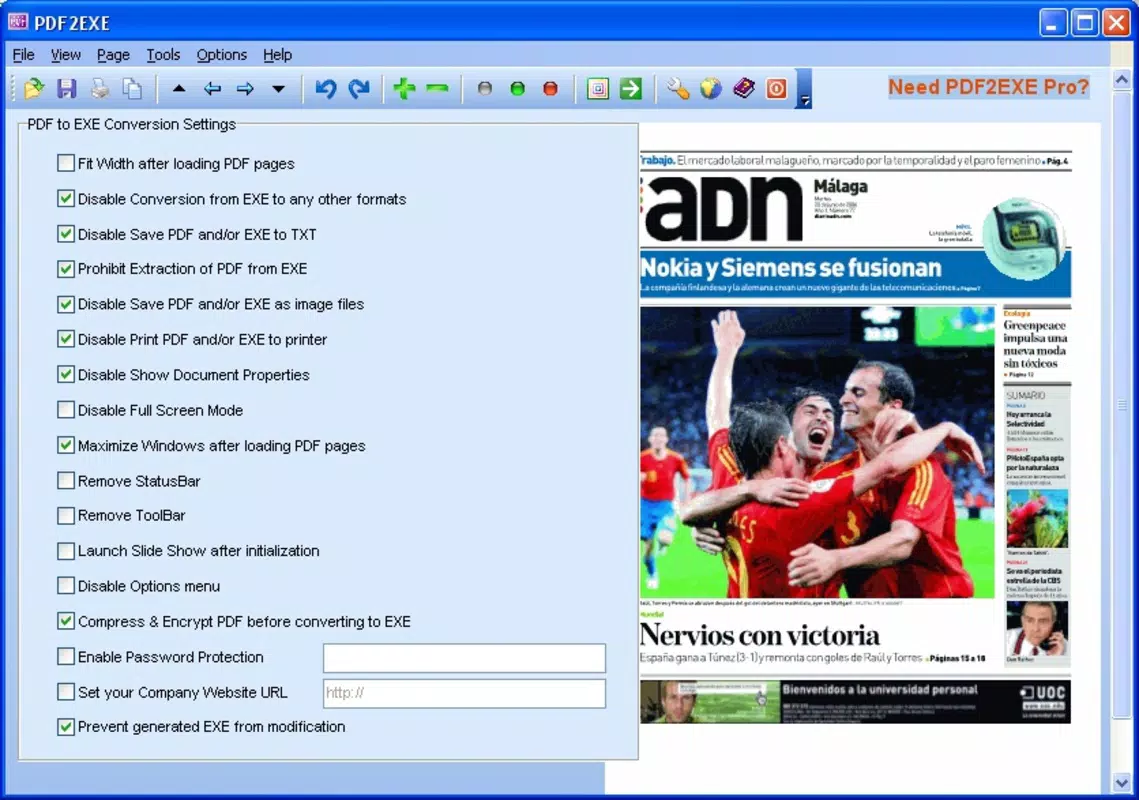
- Customizable Viewing Options: Users can adjust how the executable behaves upon launch, including options to disable printing, copying, or editing, which helps maintain document integrity and control over content usage.
- Password Protection: A built-in security layer allows users to set passwords, restricting access to authorized individuals only. This feature is critical for sharing confidential or proprietary information.
- Versatile Output Settings: The tool supports a range of output configurations, allowing users to tailor the final executable to specific needs, such as presentation mode, auto-launch, or embedded fonts.
For example, a trainer can convert a training manual into an executable that auto-opens and disables printing, ensuring the material remains protected during workshops. Similarly, a business professional can share a financial report with password protection and restricted editing rights, enhancing data security during client reviews.
Interface, UX & Performance
The interface of PDF2EXE is designed with usability in mind, presenting essential tools in a logical and accessible layout. Navigation is straightforward, with clearly labeled buttons and a minimalistic design that avoids visual clutter. The workflow from file import to conversion is linear and predictable, minimizing user errors. Although the developer did not list formal performance metrics, the application’s lightweight size of 10.5 MB suggests efficient resource usage.
On various Windows device categories, including desktops and laptops, the app demonstrates responsive behavior during conversion tasks. The software maintains stability during processing, with no reported crashes or freezes in standard use. Users can expect consistent performance when handling typical PDF files, though large documents may require longer processing times. The app does not display loading indicators or progress bars, which may affect user perception of processing speed. Overall, the user experience is smooth and functional, with a focus on task completion rather than visual embellishment.
Platform Compatibility & Technical Requirements
PDF2EXE is designed exclusively for the Windows platform, with no information provided on specific OS versions or hardware requirements. The application has a file size of 10.5 MB, indicating a compact footprint suitable for quick installation and minimal storage impact. The developer did not specify minimum OS requirements, nor did they list compatibility details for different Windows versions.
Given its release date of October 8, 2021, the software is likely compatible with modern Windows systems such as Windows 10 and Windows 11, though users should verify system compatibility before installation. No information was provided about cloud integration, mobile support, or cross-platform availability. The absence of detailed technical specifications means users should proceed with caution when deploying the app on older or restricted systems.
Pros and Cons
Pros
- Efficiently converts PDFs into standalone executable files for universal access.
- Includes password protection for enhanced document security.
- Offers customizable viewing and behavior settings for controlled distribution.
- Simple interface suitable for non-technical users.
- Compact file size ensures quick installation and minimal system impact.
Cons
- Platform is limited to Windows; no support for macOS, iOS, or Android.
- Developer did not disclose OS version requirements or system specifications.
- Limited feedback on performance with large or complex PDF files.
- No visible progress indicators during conversion processes.
- Price point of $29.95 may be considered high for a single-use utility.
FAQ
Is PDF2EXE safe to download and use?
The software is available through official channels, and the developer has not reported any known security issues. Users should ensure they download from trusted sources to avoid modified or malicious versions.
Can I convert multiple PDFs at once?
While the provided information does not specify batch conversion capabilities, the app’s interface suggests a single-file workflow. Users should verify this functionality through the software’s documentation or trial version.
Does PDF2EXE work on macOS or mobile devices?
Based on the available details, PDF2EXE is designed exclusively for Windows and is not compatible with macOS, iOS, or Android platforms.
How secure is the password protection feature?
PDF2EXE includes password protection to restrict access to the executable file. The strength of this protection depends on the password complexity and the security of the system where the file is stored.
Is there a free version or trial available?
The provided information does not mention a free version or trial. The app is listed at a price of $29.95, suggesting a one-time purchase model without a free alternative.
Final Thoughts
PDF2EXE offers a focused and practical solution for users who need to share PDF documents without relying on third-party software. Its ability to convert files into standalone executables, combined with customizable viewing options and password protection, makes it a valuable tool in professional and educational environments. While the lack of cross-platform support and limited technical documentation are notable drawbacks, the app delivers on its core promise with a clean interface and efficient performance.
Individuals who frequently distribute sensitive or presentation-ready content will benefit most from this utility. For those seeking a reliable way to ensure document accessibility and security, PDF2EXE provides a compelling value proposition. Download PDF2EXE now


